
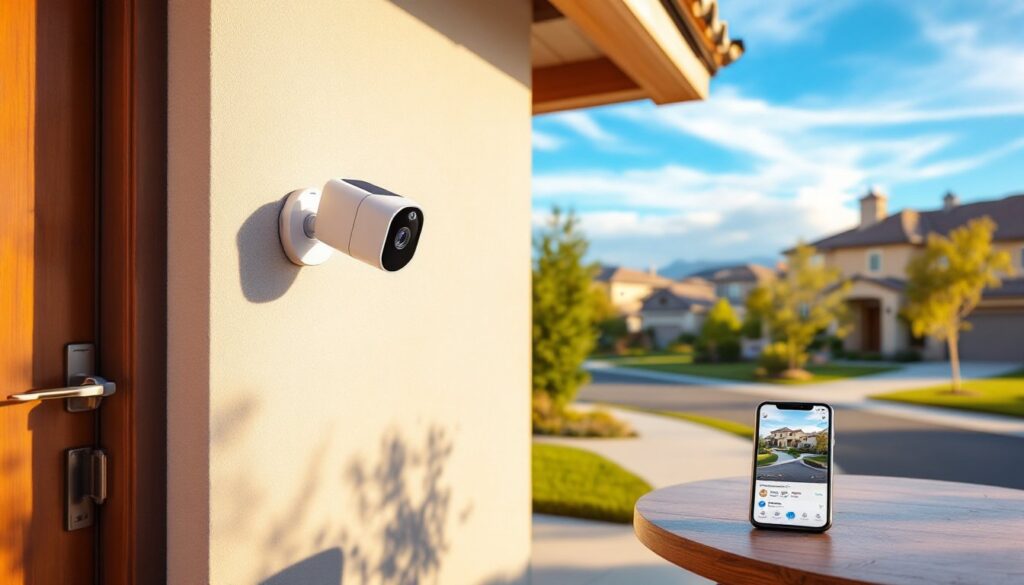

Monthly fees add up fast. A security camera subscription costing $10 per month becomes $120 annually, and most homeowners run multiple cameras. Over five years, that’s $600 per camera just to access footage you already recorded. Non-subscription security cameras eliminate that recurring cost entirely, storing video locally or offering free cloud options without locking critical features behind a paywall. Whether protecting a front porch, monitoring a detached garage, or keeping an eye on the backyard, one-time purchase cameras deliver solid security without the monthly drain on the household budget.
Table of Contents
ToggleKey Takeaways
- Non-subscription security cameras eliminate recurring monthly fees by storing video locally on microSD cards, NVRs, or hub devices, saving homeowners $120–$480 annually compared to cloud-based systems.
- Local storage keeps footage private and under your control, reducing vulnerabilities from third-party data breaches and unclear cloud retention policies that plague subscription-based alternatives.
- Top-rated brands like Eufy, Reolink, and TP-Link offer non-subscription security cameras with 1080p to 4K resolution, AI motion detection, two-way audio, and night vision—all included without paywalls.
- Battery-powered and solar-equipped models provide flexible installation options without wired power, while PoE systems deliver rock-solid reliability for larger properties or harsh climates.
- DIY installation for non-subscription security cameras is achievable for wireless models and manageable for wired setups, with proper site planning, outdoor-rated cabling, and secure mounting techniques.
What Are Non-Subscription Security Cameras and How Do They Work?
Non-subscription security cameras operate without mandatory monthly fees. Unlike cloud-dependent models that require paid plans to save or review footage, these cameras store video locally on microSD cards, base station hard drives, or network video recorders (NVRs). Some also offer optional free cloud storage with limited retention periods.
The hardware functions identically to subscription models, motion detection, night vision, two-way audio, and smartphone alerts all work out of the box. The difference is where footage lives. A camera with a 256GB microSD card can store roughly two to four weeks of motion-triggered 1080p video, depending on activity levels and compression settings. When the card fills up, the oldest footage gets overwritten automatically.
Some systems use a central hub or NVR connected to a home network. The hub records footage from multiple cameras simultaneously and stores it on an internal hard drive, ranging from 1TB to 8TB in capacity. Access happens through a manufacturer’s app or web portal, but the data never leaves the property unless the homeowner manually downloads it.
Power options vary. Wired cameras draw power from standard 120V outlets or Power over Ethernet (PoE) connections. Battery-powered models run on rechargeable lithium-ion packs, typically lasting two to six months per charge depending on activity and settings. Solar panel add-ons can extend battery life indefinitely in sunny climates.
Key Benefits of Choosing a No-Monthly-Fee Security Camera
The most obvious advantage is cost. A four-camera system with subscriptions can run $20 to $40 monthly across major brands. That’s $240 to $480 annually, every year, forever. A comparable non-subscription system costs $200 to $600 upfront with zero recurring fees. The payback period is often under two years.
Privacy improves when footage stays local. Cloud-based systems upload video to remote servers, introducing potential vulnerabilities, data breaches, third-party access, or unclear data retention policies. Local storage keeps recordings on hardware the homeowner physically controls. For anyone concerned about smart home privacy, that control matters.
No subscription means no feature lockouts. Many subscription-based cameras restrict video history, motion zones, or person detection behind paywalls. Non-subscription models include these features in the purchase price. A homeowner gets full functionality from day one without tiered plans or upgrade prompts.
Reliability during internet outages is another benefit. Cameras with local storage continue recording even if the Wi-Fi drops or the internet goes down. Subscription-dependent cameras often stop recording entirely without a live connection to cloud servers. In rural areas or places with spotty service, that’s a critical difference.
Finally, there’s no vendor lock-in. If a subscription service raises prices, changes terms, or discontinues support, the homeowner is stuck or forced to replace the entire system. Non-subscription cameras keep working as long as the hardware functions, regardless of what the manufacturer does with its cloud services.
Top Features to Look for in Subscription-Free Security Cameras
Resolution matters. Look for 1080p (Full HD) at minimum: 2K or 4K provides sharper detail for identifying faces or license plates. Higher resolution eats storage faster, though, so balance quality with available card or drive space.
Night vision is non-negotiable for outdoor cameras. Infrared (IR) LEDs illuminate scenes up to 30 feet in total darkness, rendering black-and-white footage. Color night vision uses ambient light or built-in spotlights to capture color footage after dark, but drains battery faster on wireless models.
Motion detection should be adjustable. Cheap cameras trigger on every branch sway or passing car headlight. Quality models offer customizable motion zones, sensitivity adjustment, and AI-powered person/vehicle detection to cut false alerts. Some even distinguish between people, pets, and vehicles without requiring a subscription.
Two-way audio lets homeowners speak through the camera, useful for telling a delivery driver where to leave a package or warning off a prowler. Look for models with noise cancellation to reduce wind interference and echo.
Weather resistance is critical for outdoor installs. Check for an IP65 or IP66 rating, which indicates dust-tight seals and protection against heavy rain and snow. Cameras rated IP67 can handle brief submersion, though few residential installs need that.
Field of view determines coverage area. A 110° to 130° horizontal view captures most doorsteps and driveways. Wider lenses (150°+) introduce fisheye distortion but cover more ground with fewer cameras.
Smartphone app quality varies wildly. Some apps are intuitive with live view, playback scrubbing, and quick clip downloads. Others are clunky, slow to load, or require multiple steps to find a specific event. Reviews from sources like Good Housekeeping or tech forums help identify which apps hold up in daily use.
Local Storage vs. Cloud Storage Options
Local storage uses physical media inside or near the camera. MicroSD cards (typically 32GB to 512GB) fit directly into the camera housing. They’re cheap, easy to replace, and require no network connection to record. Drawbacks: if someone steals the camera, they take the footage with them. Cards also fail eventually, expect to replace them every two to three years.
Base stations or NVRs solve the theft problem by storing footage on a separate device inside the home. These systems connect multiple cameras and record continuously or on motion events. A 2TB NVR can store weeks or months of footage from four to eight cameras, depending on resolution and frame rate. Setup is more involved than plug-and-play, but storage capacity and redundancy are superior.
Some non-subscription cameras offer free cloud storage with limitations, usually 24 to 72 hours of rolling retention or a cap on the number of clips. This works well as a backup if local storage fails or gets destroyed. Paid cloud tiers exist as optional upgrades, but the camera remains fully functional without them.
Hybrid systems combine local and cloud storage. Motion events save locally for long-term access, while critical clips auto-upload to the cloud for off-site backup. This setup provides both privacy and redundancy without mandatory fees.
Best Non-Subscription Security Camera Options for Homeowners
Eufy (Anker) dominates the no-subscription space. The EufyCam 3 offers 4K resolution, integrated solar charging, and a base station with 16GB of local storage expandable to 16TB via external hard drive. Motion detection is sharp, with AI distinguishing people, pets, and vehicles. Battery life hits six months per charge without solar, effectively infinite with it. The system supports up to 16 cameras on one hub.
Reolink offers excellent value, particularly for wired installs. The RLK8-800B4 eight-camera PoE system includes a 2TB NVR, 4K cameras, and 100-foot night vision. Installation requires running Cat5e or Cat6 Ethernet cable from the NVR to each camera location, but the setup is rock-solid with zero battery maintenance. Reolink also sells standalone battery and Wi-Fi models with microSD slots.
Lorex builds systems for homeowners who want commercial-grade features. Their 4K Nocturnal NVR systems include color night vision, long cable runs (up to 150 feet), and rugged outdoor cameras rated to -40°F. Lorex is overkill for a simple doorbell cam but ideal for large properties or harsh climates.
TP-Link Tapo cameras are budget-friendly without feeling cheap. The Tapo C320WS records 2K video to a microSD card, includes person/motion detection, and works with Alexa and Google Assistant. At under $50 per camera, it’s an easy entry point for renters or anyone testing the waters.
Doorbell cameras are trickier. Most major brands (Ring, Nest, Arlo) push subscriptions hard. Eufy’s Video Doorbell (Battery or Wired) records locally to an internal 4GB storage chip or to a HomeBase hub. It won’t store as much footage as a dedicated camera, but it works fully without fees, a rarity in the doorbell category.
DIY Installation Tips for Your One-Time Purchase Security System
Start with a site survey. Walk the property and note camera placement based on coverage priorities, entry doors, driveways, side gates, and blind spots. Count cameras needed and measure distances to power sources or the router. Outdoor Wi-Fi cameras need strong signal: if the router is on the opposite side of the house, plan for a Wi-Fi extender or mesh network node.
Wired PoE systems require running Ethernet cable through walls, attics, or crawlspaces. Use outdoor-rated Cat6 cable with UV-resistant jackets for exterior runs. Drill 3/4-inch holes through exterior walls, angling downward to prevent water intrusion, and seal with silicone caulk. Staple cables every 12 to 18 inches along studs or joists to meet low-voltage wiring standards, though PoE doesn’t typically require permits in most jurisdictions (check local codes).
Battery and solar cameras install fastest. Mount the bracket with stainless steel screws (included with most kits) into solid wood, masonry, or vinyl siding backed by sheathing. Avoid mounting on hollow vinyl or thin aluminum trim, it won’t hold. For brick or stucco, use a masonry bit and plastic anchors. Position solar panels facing south (in the Northern Hemisphere) with minimal shade for best charging.
Aim cameras at a slight downward angle, about 15° to 30°, to capture faces rather than the tops of heads. Mount doorbell cams at 48 inches from the ground (standard doorbell height). Overhead eave cameras should sit 8 to 10 feet high, balancing coverage with accessibility for battery swaps or adjustments.
Connect everything before final mounting. Power on the system, pair cameras to the app, verify live view, and test motion detection by walking through each camera’s field. Adjust angles and motion zones now while everything’s still loose. Once dialed in, tighten mounts and secure cables.
Label storage devices. Write the install date on microSD cards with a permanent marker and set a phone reminder to replace them every two years. For NVRs, label each camera input on the back panel so future troubleshooting is straightforward.
Consider a battery backup (UPS) for NVR systems. A small 500W to 1000W uninterruptible power supply keeps cameras recording during brief power outages and allows for clean shutdowns during longer ones, protecting the hard drive from corruption.
Safety notes: Wear safety glasses when drilling overhead. Use a non-contact voltage tester before drilling into walls to avoid hitting live electrical wires. If running cable through an attic in summer, work early morning, attic temps exceed 130°F by midday. Ladder work on uneven ground requires a spotter and a Type IA ladder rated for 300 lbs.
Conclusion
Non-subscription security cameras deliver reliable home protection without the perpetual billing cycle. Local storage options, whether microSD cards, NVR hard drives, or hub-based systems, keep footage accessible and private. Quality models from Eufy, Reolink, and others match or exceed subscription-based competitors in resolution, features, and app performance, often at lower total cost over the system’s lifetime. DIY installation is straightforward for wireless models and manageable for wired PoE setups with basic tools and patience. For homeowners ready to take control of their security footage and budget, subscription-free cameras are a practical, proven choice.