
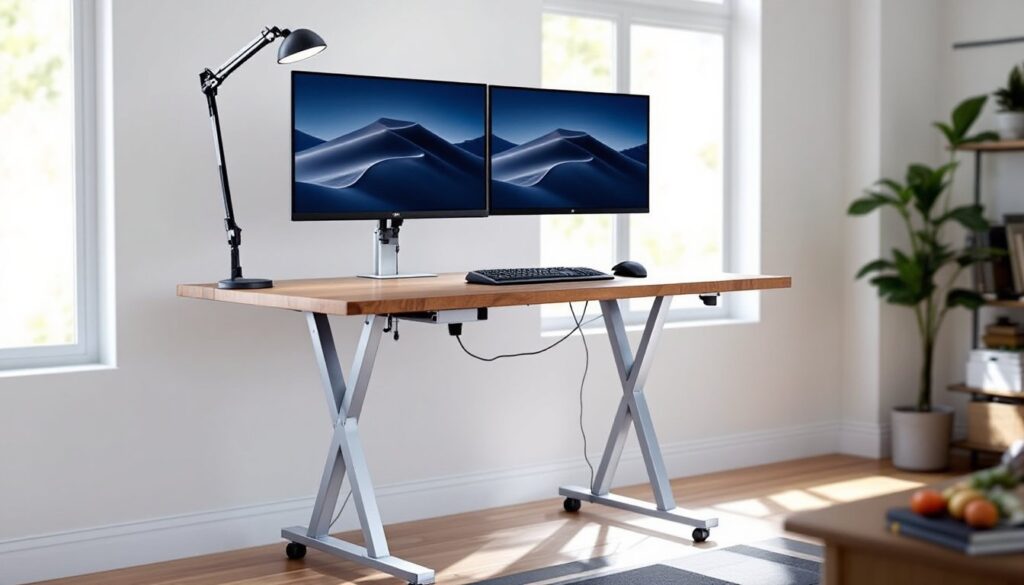

Standing desks have become a staple in home offices, but adding mobility takes the concept further. A mobile standing desk combines the ergonomic advantages of height adjustment with the freedom to reposition your workspace whenever needed. Whether someone’s reorganizing a spare bedroom, shifting between tasks, or simply avoiding the stiffness that comes from staying in one spot all day, a desk on wheels delivers flexibility without sacrificing stability. This guide walks through what makes a mobile standing desk worth considering, how to choose or build one, and how to set it up for real productivity gains.
Table of Contents
ToggleKey Takeaways
- A mobile standing desk combines height adjustment with wheeled mobility, enabling flexible workspace repositioning while maintaining ergonomic standing benefits for home offices and multi-purpose rooms.
- Dual-lock casters and proper weight capacity verification are essential—check manufacturer specs as weight ratings can drop 20–30 pounds when casters are installed versus fixed feet.
- Polyurethane casters are ideal for most home environments as they roll quietly on hard floors, resist marking, and handle moderate carpet without excessive drag or noise.
- Converting an existing desk into a mobile standing desk requires reinforcing the frame, adding locking casters rated for combined load weight, and building a height riser platform to reach proper standing height (38–48 inches).
- Monitor positioning at eye level, anti-fatigue mats at least ¾ inch thick, cable management with 12 inches of slack, and proper keyboard placement at 90-degree elbows maximize comfort and productivity with a mobile standing desk setup.
What Is a Mobile Standing Desk and Why You Need One
A mobile standing desk is any height-adjustable work surface mounted on locking casters or wheels, allowing it to be moved easily while still providing a stable platform when stationary. Unlike fixed standing desks, these units can shift from a home office to a workshop, slide out of the way during video calls, or reposition near a window for better natural light.
The primary advantage is spatial flexibility. Homeowners with multipurpose rooms, think guest bedrooms doubling as offices or garage workshops that also handle administrative tasks, benefit from a desk that doesn’t anchor them to one corner. Mobility also simplifies cleaning underneath the desk and rearranging furniture layouts without heavy lifting.
Another practical reason: standing desks encourage movement, and mobile versions make it easier to adjust positioning throughout the day. Studies suggest that alternating between sitting and standing reduces back strain and improves circulation, but a mobile desk takes this further by letting users follow the light, adjust for temperature changes, or shift closer to power outlets and equipment as tasks change.
For anyone working from home long-term, a mobile standing desk isn’t a luxury, it’s a practical tool for adapting a workspace to different activities without committing to a permanent footprint.
Key Benefits of Adding Wheels to Your Standing Desk
Wheels transform a standing desk from a static fixture into a dynamic piece of furniture. The most immediate benefit is effortless repositioning. A standard standing desk can weigh 60–100 pounds depending on construction and motor type. Dragging that across hardwood or carpet risks scratching floors or straining a back. Locking casters eliminate that problem entirely.
Mobility also supports multi-zone workflows. Someone might draft documents at a desk near a bookshelf, then roll the same surface to a standing-height table saw or 3D printer for hands-on work. This is especially useful in garages or basements where space is tight and every square foot serves multiple purposes.
Another overlooked advantage: easier cable management. Rolling a desk away from the wall exposes tangled power cords, monitor cables, and charging stations that would otherwise require crawling under furniture to access. This simplifies upgrades, cleaning, and troubleshooting without dismantling an entire setup.
Finally, mobile desks adapt to changing room layouts. Homeowners who frequently rearrange furniture for holidays, guests, or seasonal projects can integrate a wheeled desk into new configurations without tools or heavy lifting. It’s the difference between “we can’t move that” and “let’s try it over there.” For renters or anyone anticipating a future move, mobility also means the desk transfers easily to a new floor plan.
Essential Features to Look for in a Mobile Standing Desk
Not all mobile standing desks are built the same. The first checkpoint is weight capacity. Most dual-motor electric standing desks handle 150–220 pounds, but adding casters can reduce stability if the frame isn’t designed for it. Check the manufacturer’s specs for weight ratings with casters installed. A desk rated for 180 pounds on feet might drop to 150 pounds on wheels due to shifted load distribution.
Next, examine the frame construction. Steel frames with cross-bracing resist wobble better than single-beam designs. Look for desktops at least ¾ inch thick (actual dimension, not nominal). Particleboard cores are fine if they’re laminated or edge-banded, but solid wood or bamboo tops add rigidity and dampen vibration from typing or mouse movement.
Height adjustment mechanism matters too. Electric models with memory presets are convenient, but manual crank or pneumatic lift desks cost less and never need outlet access. Pneumatic lifts work well for lighter setups (under 50 pounds total load) but struggle with multiple monitors or heavy equipment. For a DIY shop that doubles as an office, a crank-operated desk offers reliability without electrical dependencies.
Cable management is often an afterthought. Built-in cable trays or grommets keep cords organized and prevent them from snagging when the desk moves. Without proper routing, rolling a desk even a few feet can yank out power cables or damage connectors.
Choosing the Right Wheel Type and Locking Mechanism
Casters come in three common types: hard plastic, rubber, and polyurethane. Hard plastic rolls smoothly on carpet but can scratch hardwood and tile. Rubber casters grip well and protect floors but attract dust and hair, which gums up the bearings. Polyurethane casters split the difference, they roll quietly on hard surfaces, resist marring, and handle moderate carpet without excessive drag.
Wheel diameter affects performance. 3-inch casters work for smooth floors and low-pile carpet. Anything thicker than ½-inch carpet benefits from 4-inch wheels to reduce rolling resistance. Smaller wheels also mean the desk sits lower: if someone’s already at the top of the height range, undersized casters can limit usable standing positions.
Locking mechanisms fall into two categories: brake locks (which stop the wheel from rotating) and swivel locks (which also prevent the wheel from turning). For a standing desk, dual-lock casters are worth the extra cost. They eliminate the micro-shifts that happen when leaning or typing, which single-lock casters can’t prevent. Install at least two locking casters on the same side of the desk to resist diagonal movement.
Some smart home setups integrate motorized desks with app control, but for most home offices, manual locks are more reliable and don’t add points of failure. Choose casters rated for at least 200 pounds per set (50 pounds per wheel on a four-caster setup) to ensure long-term durability.
Top Mobile Standing Desk Styles for Different Home Spaces
Mobile standing desks come in several form factors, each suited to specific room types and workflows.
Rolling workbenches are the workhorse option for garages and basements. These typically feature a butcher-block or MDF top on a steel frame with integrated tool storage. They’re not always height-adjustable, but their heavy-duty casters and lower price point make them ideal for workshops where standing height is less critical than surface area and durability.
Compact electric desks with add-on casters fit smaller home offices or bedrooms. These units usually measure 48 to 60 inches wide and offer electric height adjustment from roughly 28 to 48 inches. They’re lighter than full-size models, which reduces the stress on casters but can make them less stable under heavy monitor arms or dual-screen setups.
L-shaped mobile desks suit corner spaces and multi-monitor configurations. The added surface area supports peripherals like printers, scanners, or model-building supplies. But, L-shaped desks require six casters (two per leg plus two mid-span supports) to prevent sagging. Without proper support, the junction between the two desktop sections can flex or separate over time.
Lean-to or portable standing desks are minimal-footprint options that work in tight quarters or as secondary workstations. These often lack motors and rely on notched height pegs or friction locks. They’re lightweight and affordable but won’t support heavy loads. For someone who needs a temporary standing surface in a craft room or garage, a lean-to design like those found in DIY woodworking plans offers a low-cost entry point.
DIY Tips: Converting Your Existing Desk into a Mobile Standing Desk
Converting a standard desk to mobile standing requires three upgrades: adding casters, increasing height, and reinforcing the frame.
Start by selecting locking casters rated for the combined weight of the desk and everything on it. Measure the existing leg diameter. Most desk legs are 1.5 to 2 inches square or round. Casters with threaded stems or plate mounts work best. Threaded stems screw directly into the leg (requires drilling a pilot hole), while plate mounts attach with screws into the leg’s end grain or underside.
For a non-adjustable desk, adding casters alone won’t create a true standing height. A typical desk sits at 29 to 30 inches. Standing desks range from 38 to 48 inches. Adding 4-inch casters raises the surface by roughly 4 inches, which still leaves it too low for most users. To hit proper standing height, build a riser platform from 2x4s or plywood, bringing the total height to around 42 inches for someone 5’8″ to 6’0″ tall.
If the desk has a hollow-core top or lightweight frame, reinforce it before adding casters. Attach a ¾-inch plywood backer to the underside of the desktop using wood glue and 1¼-inch screws spaced every 8 inches. This stiffens the surface and distributes weight more evenly across the casters.
For true height adjustability, retrofit a manual crank or pneumatic lift mechanism. These kits are available from woodworking suppliers and bolt onto the underside of most desktops. Installation requires drilling mounting holes and running the crank handle through the desktop or frame. Expect to spend 2 to 3 hours on the conversion, including time for the adhesive to cure.
Safety note: Wear eye protection when drilling into particleboard or MDF, as the dust is fine and irritating. Use a dust mask rated N95 or higher, especially in enclosed spaces. Test the desk’s stability before loading it with equipment. Push sideways at the top edge: if it rocks more than ¼ inch, add diagonal bracing between the legs or switch to larger casters.
Optimizing Your Mobile Standing Desk Setup for Maximum Productivity
A mobile desk is only as useful as the setup around it. Start with monitor height. The top of the screen should sit at or slightly below eye level when standing. For a 27-inch monitor, this usually means a monitor arm or a 4 to 6-inch riser. Avoid stacking books or boxes, they shift when the desk moves.
Keyboard and mouse placement follows the 90-degree elbow rule. Forearms should be parallel to the floor, with wrists neutral. If the desk’s lowest setting is still too high, add a keyboard tray that mounts under the desktop. These are available in fixed or adjustable models: go with adjustable if the desk serves multiple users or transitions between sitting (with a stool) and standing.
Anti-fatigue mats reduce strain on feet, knees, and lower back. Look for mats at least ¾ inch thick with a beveled edge to prevent tripping. Thinner mats compress quickly and lose cushioning. The mat should move with the desk, so consider one with a non-slip backing that grips both hard floors and low-pile carpet.
Cable management is critical for mobile setups. Use cable sleeves or Velcro straps to bundle power cords, monitor cables, and USB lines. Leave enough slack (about 12 inches) so the desk can roll 2 to 3 feet without yanking connectors. Spiral cable wraps work well for this and are easy to adjust as the desk moves.
Lighting deserves attention too. A desk that moves to different parts of a room will encounter varying light conditions. A clamp-on LED task light with adjustable color temperature (3000K to 5000K) ensures consistent visibility whether the desk is near a window or in a dim corner. Many home technology guides recommend lights with USB charging ports to double as phone or tablet chargers, reducing desktop clutter.
Finally, test the setup under realistic conditions. Load the desk with the usual equipment, monitors, keyboard, laptop stand, desk lamp, and roll it across the room. If it wobbles, check that all casters are locked and verify the floor is level. Uneven floors may require furniture levelers on the casters or shims under the locking wheels to prevent tipping.